
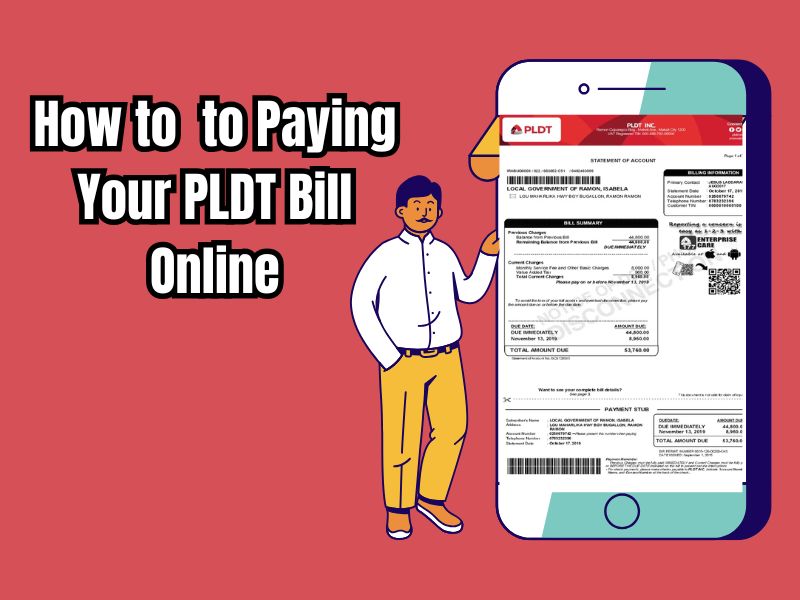
With today’s technological advancements, one of the conveniences we enjoy is the ability to pay bills online. Instead of wasting time and effort going to a bill payment center, you can simply use your computer or mobile phone to pay your bills. One such option is paying your PLDT bill. If you are a PLDT customer, you can take advantage of this facility to pay your bills.
PLDT offers several ways to pay your bills online, such as through the PLDT website or mobile app. You can even use digital wallets like GCash and PayMaya to pay your PLDT bills.
By paying your PLDT bills online, you not only save time and effort but also help reduce paper waste. In fact, PLDT has implemented paperless billing for most of its customers to support conservation initiatives. You can do the same by switching to online payments. Therefore, customers can use the following PLDT online payment options.
PLDT Pay Express Online
PLDT Pay Express Online is a feature from PLDT that allows customers to pay bills instantly without logging in or downloading additional apps. This service works by scanning and paying using a unique QR code printed on your monthly bill. You can visit this link to find PLDT Pay Express Online
- First, enter your 10-digit account number, which you can also find on your billing statement. Click “Submit.”
- Your PLDT account number, name, and balance will be displayed.
- Then, enter the amount you wish to pay (the minimum amount per transaction is ₱200).
- Check the box indicating that you agree to the terms and conditions, and click “Credit Card.” If you have a BancNet online banking account, click “Debit/ATM Card” instead.
- You are now connected to the PesoPay payment service. Select your payment method by clicking the Visa or MasterCard logo.
- Provide your card information, including the card number, expiration date, name on the card, and card verification number (CVV or CVC).
- Click “Submit” to continue. A pop-up window will appear containing your payment details. Ensure your payment details are correct and click “OK.”
- Please wait a few moments for your payment to be processed. Once the payment transaction is complete, click “Continue.”
- You will receive a payment confirmation via email containing the transaction number and other payment details.
If you’re looking for an easy way to pay your PLDT bills online, PLDT Pay Express Online is the right choice. You don’t need to log in to your online banking account or use a mobile app. All you need is a Visa or MasterCard credit or debit card, and you’re ready to go.
Pay PLDT bills with Online and Mobile Banking
Besides using PLDT Pay Express Online, you can also pay your PLDT bills through your online banking account. Below is a list of banks you can use to pay your bills online using your online banking account:
- BancNet
- BDO Unibank
- BPI
- China Bank
- EastWest Bank
- HSBC
- Metrobank
- PSBank
- RCBC
- Security Bank
- UCPB
- Union Bank of the Philippines
However, some banks, like BDO, require you to first register PLDT as your billing provider before you can pay your bill.
We’ll show you how to pay your PLDT bill online using BDO online banking:
- First, Log in to your BDO online banking account via the website or mobile app. Then select “Pay Bills.”
- Select your registered PLDT account and enter the amount. Provide your payment details and tap “CONTINUE.”
- Review your payment details. If everything is correct, tap “CONFIRM.”
- Wait for an email from BDO confirming your successful bill payment transaction.
- You will also receive a text message from PLDT once your payment is reflected in your account. It may take up to 24 hours for your payment to reflect in your PLDT account.
Pay PLDT bills with GCash
You can use a digital wallet like GCash to pay your PLDT bill online if you don’t have a credit card or online banking account.
If you don’t have an account yet, you can use this link to register for a GCash account and get ₱50 for free after verifying your account. Here are the steps you can follow to pay your PLDT bill via GCash:
- Open your GCash wallet and log in using your MPIN.
- Tap “Pay Bill.”
- Select “Telecommunications” under “Billing Category.”
- Select “PLDT DSL,” “PLDT Landline,” or “PLDT Ultera” depending on your account type.
- Enter your PLDT account number, phone number with 3-digit area code, amount, and email address. Tap “NEXT.”
- Choose your payment source. Tap “NEXT.”
- Review your payment details and tap “CONFIRM.”
- You will then receive a text message and email from GCash confirming your successful bill payment. PLDT will also send you an SMS once your payment has been credited to your account.
You can also refer to this article for a guide on everything from account verification to topping up your GCash balance. For bill payment transactions made through the GCash app, the service fee ranges from ₱5 to ₱15. So make sure you have a balance.
Pay PLDT bills with PayMaya
Like GCash, PayMaya is a digital wallet that allows you to shop online, pay bills, send money, and perform other cashless transactions, including paying PLDT bills. Here are the steps:
- Open the PayMaya app.
- Tap “Pay Bills.”
- Select “PLDT Home” or “PLDT Ultera.”
- Enter your PLDT account number, amount and phone number. The phone number must contain the 3-digit area code (for example: 039).
- Select the service and tap “Continue.”
- Review your payment details and if correct, tap “Pay.”
- Wait for a text message confirming your successful bills payment.
Unlike GCash, PayMaya doesn’t charge any transaction fees for online bill payments.
We’ve created this tutorial to make things easier for you. To avoid any inconvenience, please ensure you type the billing number correctly. Using a credit or debit card, online banking account, or digital wallet, you can pay your PLDT bill online from the comfort of your home.
If you need further information regarding PLDT bills, please feel free to contact the customer service hotline at 171 or (02) 8-8888-171 for non-PLDT customers.