
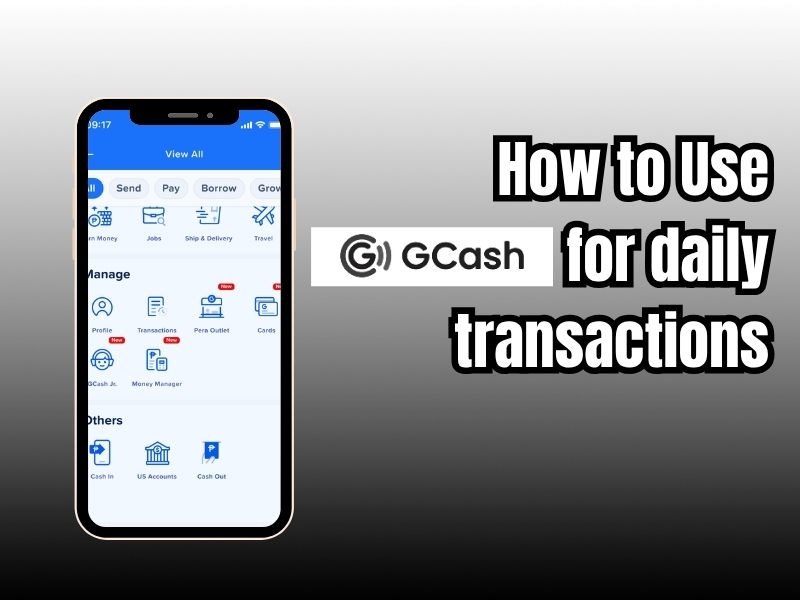
Cashless transactions are gaining popularity with the introduction of digital wallets and online payment apps. With the introduction of digital wallets and online payment apps, cashless transactions are now gaining popularity. One such app is the GCash app, the largest digital wallet (e-wallet) in the Philippines, allowing users to store money, make payments, and conduct cashless transactions via mobile phones.
This app was created to make it easier for the unbanked to access modern financial services. A GCash account is directly linked to the user’s phone number, which serves as an account number for receiving or sending funds.
GCash can be used for everyday transactions such as instantly sending money to other GCash users or to bank accounts, paying for purchases at brick-and-mortar stores using QR codes or transactions on e-commerce platforms, and even purchasing phone credit and data packages for various local telecommunications operators.
How to Register for a GCash Account
First, you’ll need to create a free GCash account. You don’t need to be a Globe customer to register, so you can create an account by visiting this page. You can also create an account using the mobile app, which is easier and faster.
Download the GCash app from the Google Play or App Store.
- Open the GCash app, and it will ask for permission to access your contacts, storage, device location, and camera. Select “OK.” Tap “Allow” on the next step. Select “OK.” Tap “Allow” in the next step.
- Wait for the 6-digit authentication code to be sent via SMS. The app will automatically detect and enter the authentication code. Then tap “SEND CODE.”
- Enter your personal information such as first name, last name, date of birth, address, and email address. Then tap “CONTINUE.”
- Recheck your information. If everything is correct, tap “SEND.” If not, tap the back arrow to make changes.
- Create a 4-digit mobile PIN (MPIN). Avoid using an easily guessed MPIN. Tap “SEND” to continue.
- Congratulations! Your GCash account has been successfully created. Don’t forget your MPIN, as you’ll use it every time you access your account.
- Tap “Continue to Login” to automatically log in to your mobile wallet.
The next step is to verify your account so you can fully enjoy the features and benefits of GCash.
GCash Account Verification
The Central Bank of the Philippines requires account verification to protect financial institutions and ensure user account security. You’re likely familiar with the “Know Your Customer” (KYC) process used by banks and remittance centers. GCash requires your identity to prevent the creation of fake accounts for money laundering and other crimes.
You can still use GCash without account verification, but you won’t be able to send or request money, withdraw funds, top up your balance online, pay bills, or use QR codes. You also can’t top up your balance offline (at the counter), pay bills, or top up your phone credit. If you want to take advantage of all GCash features, it’s highly recommended to fully upgrade your account.
How to Verify Your GCash Account
Prepare a valid identity card first. Here’s a list of valid ID cards:
- Universal Multipurpose Identity Card (UMID)
- Social Security System (SSS) ID Card
- Government Service Insurance System (GSIS) Electronic Card
- Passport
- Driver’s License
- National Bureau of Investigation (NBI) Certificate
- Police Clearance
- PhilHealth Card
- Tax Identification Number (TIN) ID Card
- Voter’s ID Card
- Student ID Card with Photo
- Mutual Housing Development Fund (HDMF) or Pag-IBIG ID Card
- Postal ID Card
- Senior Citizen’s ID Card
- Village Certificate
- Professional Regulatory Commission (PRC) ID Card
- Philippine Bar Association (IBP) ID Card
- Government Office or Government-Owned and Controlled Corporation (GOCC) ID Card
- Department of Social Welfare and Development (DSWD) Certification
- Maritime Industry Authority (MARINA) ID Card
- Alien Registration Certificate
- Filipino Migrant Worker ID Card (OFW)
- Overseas Workers Welfare Administration (OWWA) Identification Card
- Seafarer’s Book (SIRB)
- Company ID issued by a private institution registered, regulated, or supervised by the Central Bank of the Philippines (BSP), the Securities and Exchange Commission (SEC), or the Insurance Commission
- Certification from the National Council for the Welfare of Persons with Disabilities (NCWDP)
Then tap to get fully Verified
Place your ID photo inside the rectangular frame with a blue border. Once finished, click “SEND” and pose for a selfie. Position your face within the frame and tap “Next.” Complete the application form, then tap “Next,” then “Confirm.”
You will receive a text message informing you that your GCash account has been fully verified. This should take approximately half an hour.
Additionally, you can verify your GCash account at any Globe store or any GCash partner outlet, such as Bayad Center and Cebuana Lhuillier. A list of GCash partners can be found on this page.
How to Load Your GCash Wallet (Cash-in)
To use GCash for shopping and paying bills, log in to the GCash app and select cash payments, online banking, and remittances.
You can use your phone’s location services to easily and conveniently find the nearest cash exchange outlet. To get started, simply tap “View Nearby Cash Exchange Locations.” Make sure your mobile data is enabled and your GPS location setting is set to high accuracy.
You can top up your GCash wallet balance at one of the following top-up outlets:
- Cebuana Lhuillier Pawnshop
- Palawan Pawnshop
- Villarica Pawnshop
- Tambunting Pawnshop
- Globe Store
- Paid Center
- ECPay
- Expresspay
- Congratulations
- MONEY HUB
- 7-Eleven
- SM Business Center
- Robinsons Business Center
- Puregold
- LBC Express
- TouchPay
- Shell Select
- eTap / Pay & Go
Tell the cashier at pawnshops (such as Cebuana Lhuillier, Tambunting, Palawan Pawnshop, and Villarica) and payment centers (such as Globe Store, Bayad Center, ECPay, PERA HUB, Expresspay, and Digipay) that you want to top up your GCash wallet. Fill out the GCash Service form with your GCash mobile number, provide payment information and a valid ID, and then wait for an SMS confirmation for the transaction.
Online Banking Cash-In
The following banks allow you to make deposits from your bank account:
- Asia United Bank (AUB)
- BPI
- PSBank
- Metrobank
- Maybank
- RCBC
- UnionBank
Select a bank from the list. You may need to transfer funds to GCash through your bank’s website or mobile app, or by entering your online banking username and password (as with BPI and UnionBank) to register your bank account.
Remittance Cash-In
You can use Western Union or MoneyGram to top up your GCash account. Simply enter the desired amount and the reference number (MTCN). If you have PayPal Please note that you cannot transfer money from PayPal to GCash, so you will need to change your currency to Philippine pesos first.
Things You Can Do With GCash
You can make several transactions that are usually done directly with a verified GCash account.
- Send Money, Using Gcash, you can easily fulfill your daily transaction needs, such as sending money for free, instantly sending balances to other GCash users without admin fees through the Express Send feature; transfers to local banks; and sending funds to over forty banks in the Philippines through the InstaPay network. You can even buy phone credit and data packages, and top up credit for telephone operators such as Globe, Smart, TM, and TNT with various attractive promotions. Pay monthly bills, pay electricity (Meralco), water (Maynilad), credit card bills, and school fees online.
- Cashless Shopping, to pay on international e-commerce platforms such as Lazada, Shopee, and the Apple App Store. You can use Ph QR codes to pay for goods at supermarkets (such as SM or Puregold), restaurants, and public transportation. GCash Debit Card: You can use a physical debit card with the Visa logo linked to your GCash balance, which you can use to withdraw cash at ATMs or shop at stores worldwide.
- Financial Services and Investments, With GSave, you can open a digital savings account with no minimum balance and partner with official banks like CIMB Bank with competitive annual interest rates. Digital Investment (GInvest) allows you to purchase mutual funds or local and international stocks with very low initial capital (starting from PHP 50). Digital Insurance (GInsure) allows you to purchase health insurance, travel insurance, and vehicle insurance with low monthly premiums. Additionally, with GCredit and GGives online loans, you can access advance funds or shopping installments without having to have a regular credit card.
- International Transactions, You can receive money transfers directly from abroad, including from relatives in Indonesia, using GCash Overseas through official partners such as Western Union, Remitly, or Wise.
GCash allows people to pay bills or transfer money using their mobile devices, eliminating the need to carry large amounts of cash. Plus, you can rest assured that GCash is safe and secure. If you have any questions or need further confirmation, please call 2882, visit the helpdesk, or send us a message on Facebook. We hope this helps.