
Have you ever felt the need to contact Metrobank, perhaps with an urgent question about your account or an issue that needs to be addressed? However, navigating customer service channels can sometimes be very difficult, but don’t worry!
This article will explain how to easily contact Metrobank through the various channels available, starting from phone numbers, email, website or via social media.

How to Contact Metrobank
In today’s highly advanced digital era, contacting Metrobank (Metropolitan Bank and Trust Company) is very easy. You can contact them directly at (02) 8898-8000 or at (02) 88-700-700. In addition, you can also contact them via email, social media or even come directly to their office.
A. Contact Metrobank via Contact Us
You can contact Metropolitan Bank and Trust Company or send a complaint to Metrobank via the telephone number and address below:
1. Via Head Office – GT Tower International
- Address: GT Tower International, 6813 Ayala Ave. corner H.V. Dela Costa St., Brgy. Bel-Air, Makati City
- Landline: (02) 8898-8000 (Metro Manila) or (02) 8857-0000
2. Via Metrobank Contact Center
- Metro Manila (24/7): (02) 88-700-700
- Domestic Toll Free: 1-800-1888-5775
- Email: customercare@metrobank.com.ph
3. Institutional Transaction Banking Group
- Metro Manila Landline (02) 88-988-000
- for E-gov press 2, then press 1, then press 1
- for MBOS press 2, then press 1, then press 2
- Domestic Toll Free Number: 1800-10-8579727
- Email: transactionbankingservices@metrobank.com.ph
4. Via Branch Visit
You can visit any Metrobank branch in the Philippines. With over 950 branches nationwide, you can find one near you using their ATM & Branch Locator on their website.
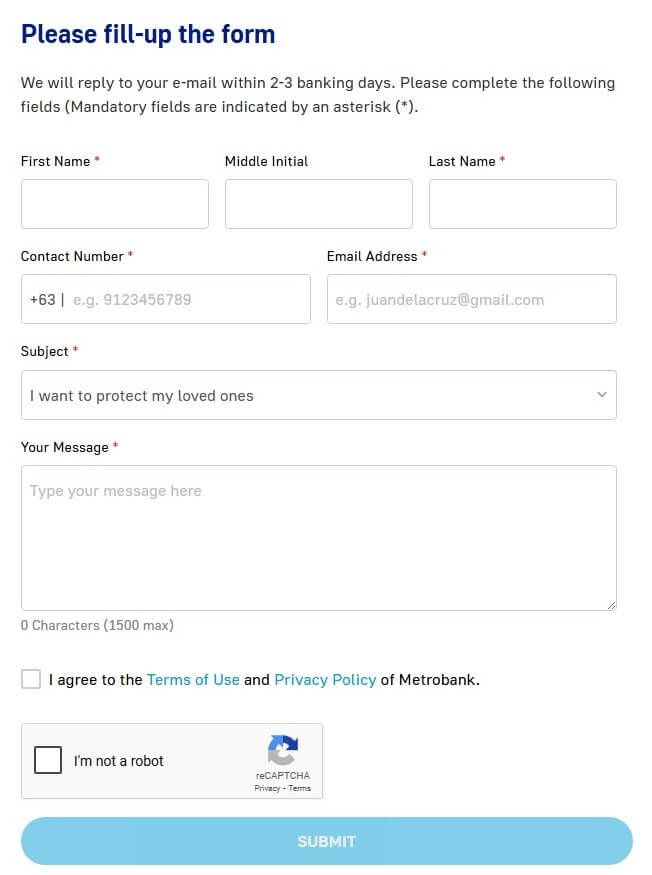
5. Using Contact Form
You can fill out a contact form on the Metrobank website
6. Via Help & Support
For a list of frequently asked questions, you can check the following link!
7. Using Metrobank Chatbot
Chat and ask your questions to Metrobank via Metrobank Chatbot. Visit the Metrobank website and in the bottom right corner click “Chat with an Expert.”
B. Metrobank Credit Card – Contact Us
For questions regarding Metrobank Credit Card or Metrobank Peso Platinum Mastercard, Metrobank World Mastercard and other cards, you can contact Metrobank through the channels available at this link.
1. Metrobank Customer Service Hotline
- Customer Service (632) 88-700-700
- Domestic Toll Free 1-800-1888-5775
- International Toll Free + 800-8-700-0707
- Email: customerservice@metrobankcard.com
2. Metrobank Premium Hotline
- (Metrobank Peso Platinum Mastercard, Metrobank World Mastercard, Metrobank Femme Signature Visa, Metrobank Travel Platinum Visa, and Metrobank Travel Signature Visa)
- VIP Customer Service (632) 88-700-707
- Domestic Toll Free 1-800-10-8700-707
- Email: customerservice@metrobankcard.com
3. PSBank Credit Mastercard
- Customer Service (632) 88-700-772
- Domestic Toll Free 1-800-10-8700-772
- Email: psbank@metrobankcard.com
4. Card Activation Hotline
- Customer Service (632) 88-603-030
5. Updating of Cardholder Information
- Customer Service (632) 88-700-766
- Domestic Toll Free 1-800-10-8700-766
6. Metrobank Collections Hotline
- (632) 88-700-711 or
- (632) 88-700-970 or
- 0919 0598710-29
- Domestic Toll Free 1-800-1888-5775
- Email: collections@metrobankcard.com
C. Contact Metrobank via Social Media
1/2 You may experience difficulty accessing our ATMs and CAMs, logging in to the Metrobank Online site and app, or using your Metrobank Debit and Credit Cards for transactions.
We sincerely apologize for the inconvenience. Rest assured that your funds remain safe and secure. pic.twitter.com/dJ8hKAHYWk
— Metrobank (@Metrobank) May 10, 2025
In addition to via telephone number or via email, you can also send complaints or questions related to Metrobank to their official social media accounts. Below are some of the account addresses that you can visit:
- Facebook: facebook.com/metrobank
- Instagram: instagram.com/metrobank/
- Twitter (X): x.com/metrobank
- YouTube: youtube.com/c/metrobank
- TikTok: tiktok.com/@metrobank
- Linkedin: ph.linkedin.com/company/metropolitan-bank-trust-company
D. Download Metrobank App
You can also download and install the Metrobank application for various conveniences for your financial transactions with Metropolitan Bank and Trust Company. Below we have prepared a link that you can visit:
Well, those are some of the communication channels from Metropolitan Bank and Trust Company that we can share with you. Hopefully useful!