
Are you planning to contact China Bank Savings (CBS) in the near future? If yes, you don’t need to worry about how to do it. Now contacting them is very easy, you can contact China Bank Savings via phone, email, or social media.
Here we summarize for you various communication channels from China Bank Savings that you can contact to facilitate your communication with them.
How to Contact China Bank Savings (CBS)
With the advancement of communication technology today, contacting China Bank Savings (CBS) has become easier. You can contact them through their Customer Service Hotline at (632) 8988-9555 or by sending an email to customerservice.cbs@chinabank.ph. You can also contact CBS through social media or by visiting their office in person.
A. Contact Us
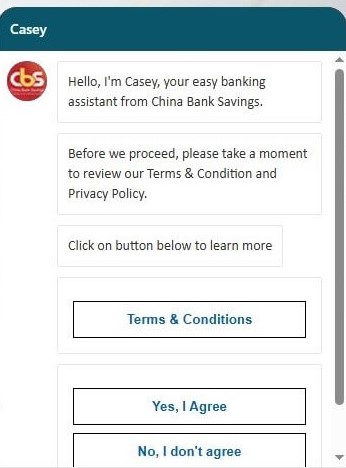
Complete your banking affairs with China Bank Savings by contacting them by phone, email or online using the following methods:
1. Phone
- Customer Service Hotline: (632) 8988-9555
- Day: Monday to Friday
- Hour: 08.30 am – 17:30 pm (Manila time)
- E-banking related concerns (24/7 Helpdesk):
- (02) 8884-7878 or,
- (02) 8884-7622
- Domestic Toll-Free China Bank 1-800 numbers (outside Metro Manila):
- Via PLDT: 1-800-1888-5888
- Via Digitel: 1-800-3888-5888
- (After dialing, press 1 for bank services, then 7 to know more about products and services, then 2 for China Bank Savings)
2. Email
- General banking concerns: customerservice.cbs@chinabank.ph
- Helpdesk/Mobile App related concerns: helpdesk.cbs@chinabank.ph
3. Online
- Official Website: You can visit their official website at https://www.cbs.com.ph/ and look for their “Contact Us” page.
- Casey (AI Chatbot): Visit their official website at https://www.cbs.com.ph/ and look for the red round CBS logo at the bottom right corner, click on it and then you can ask “Casey”.
4. In Person
You can visit any of their branches during business hours. You can usually find a branch locator on their official website.
B. Social Media
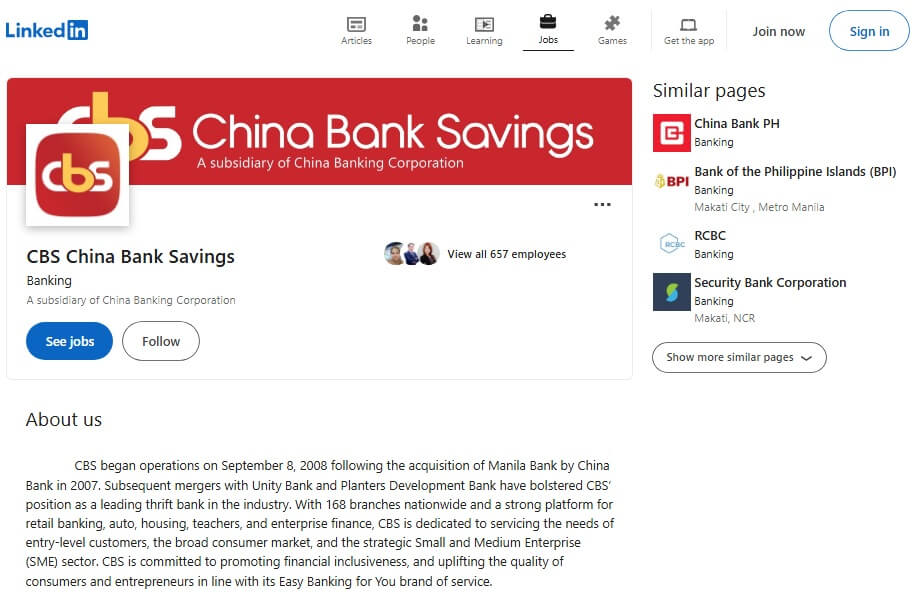
You can also use social media such as Facebook to contact China Bank Savings. Here are the account addresses:
- Website: https://www.cbs.com.ph/
- Facebook: facebook.com/cbschinabanksavings
- Linkedin: ph.linkedin.com/company/cbs-china-bank-savings
C. Mobile Banking Apps
You can also download the CBS mobile banking application to make transactions and other banking matters easier. You can download it via the Google Play Store or the Apple App Store below:
CBS Personal Mobile App:
CBS GO Mobile App:
Note: If your concern is with the Bangko Sentral ng Pilipinas (BSP) Financial Consumer Protection Department, you can contact them at (02) 8708-7087.