
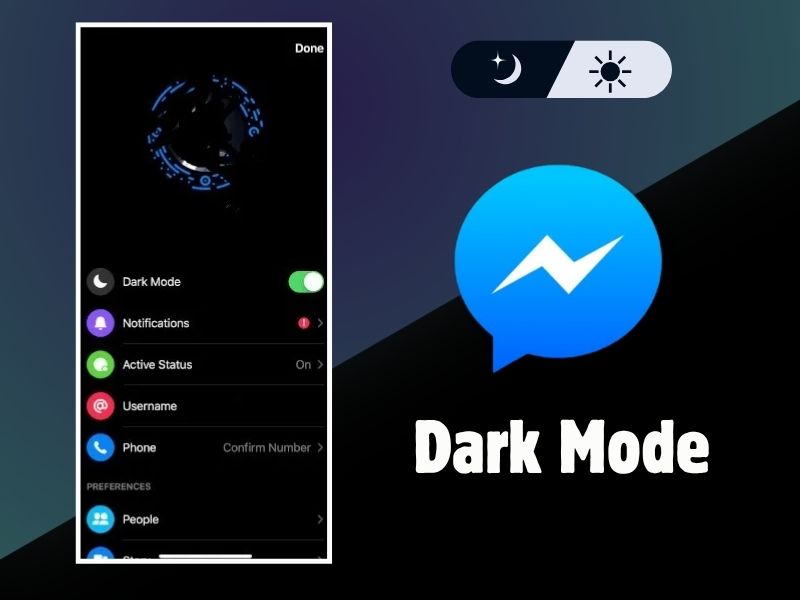
Facebook Messenger now offers a dark mode feature to make your chatting experience more comfortable. Using dark mode is a popular choice for many users to reduce eye strain, especially in low-light conditions. So, how do you enable dark mode on Facebook?
Turning on dark mode on Facebook Messenger Dark Mode isn’t as easy as you might think. This is surprising, considering the app is known for its practical and easy-to-use interface. Regardless, the following guide will help you enable dark mode with clear steps to make your chatting experience more comfortable and protect your eyes.
How to Enable Facebook Messenger Dark Mode
First of all, make sure your Messenger app is updated to the latest version. You can check this by checking the Google Play Store. Sometimes it updates automatically.
Next, to activate dark mode, simply send a “crescent moon” emoji to anyone in a Messenger chat room, or you can even send one to yourself.
If you can’t find the crescent moon emoji, you can search for it in the emoji search bar on your keyboard. Keep in mind that you can’t use any “moon” emoji; it must be a crescent moon.
After that, a series of crescent moon emojis will appear on your screen. A notification will then appear with the message: “You Found Dark Mode!” Tap “Enable in Settings.”
This will display the option to enable dark mode. You can then activate dark mode by tapping it.
A pop-up notification will appear with the message: “Work in progress. While we’re finalizing dark mode for messages, this feature won’t be available across all Messenger apps yet.” Tap “OK.”
Wait a few moments and congratulations! You have enabled Facebook Messenger’s dark mode feature.
You can enable or disable this feature at any time. If you want to restore Facebook Messenger to its original state, simply click on your profile photo at the top of the screen, then click “Turn off dark mode.” If you delete the app, you’ll have to restart the activation process.
Facebook Messenger dark mode is currently only available on Android and iOS. Hopefully, this feature will be available on the web version soon.
As mentioned, this dark mode feature is useful for reducing eye fatigue and damage to your vision. A dark screen minimizes the amount of high-energy light entering your eyes, which can cause damage to the sensitive area of your eyes.
Switching to dark mode can relax your eyes and minimize the risk of sleep disturbances. This is because light from smartphones is known to affect brain activity that plays a role in regulating sleep cycles, making it more difficult to get a good night’s sleep.
Furthermore, using dark mode also impacts power efficiency. So, when your phone’s battery is running low, enabling dark mode can be a simple step to extend its battery life. This is proven by several studies, including one from Google, which shows that dark mode can significantly reduce battery consumption, even up to 60% in certain conditions.
That concludes our guide and information. Protect your eyes and activate Messenger’s dark mode now! Don’t forget to share this article with your friends so they can also experience the benefits of Facebook Messenger’s dark mode.