
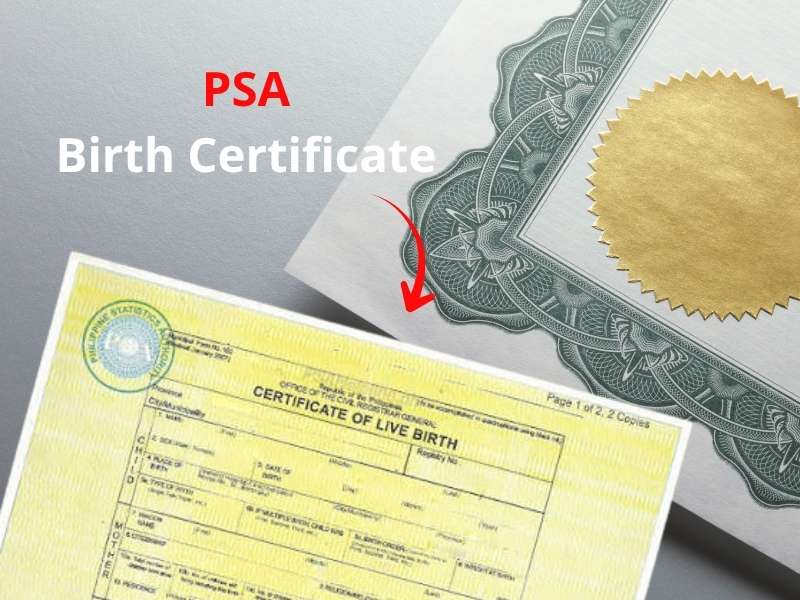
A birth certificate is an important document documenting a child’s birth. The PSA Birth Certificate, formerly the NSO Birth Certificate, is an official civil document issued by the Philippine government. It serves as legal proof of citizenship and a person’s relationship to the Philippines.
Besides providing proof of identity, a birth certificate is also required for educational and employment purposes, such as school registration, university entrance exams, and employment documents.
Previously, obtaining a birth certificate required a visit to the civil registry office. Now, you can obtain a PSA birth certificate online using your smartphone.
How to Get a PSA Birth Certificate Online
Obtaining a PSA (Philippine Statistics Authority) Birth Certificate online is now very easy, without having to queue at a branch office. This document also features a security feature in the form of a QR code for instant verification to prevent forgery. Here’s a complete guide to ordering a PSA birth certificate online, whether it’s physical or digital.
Before filling out the online form, you should prepare the following information:
- Certificate owner information, such as full name (first, middle, last), place and date of birth, and father’s name.
- Mother’s information, such as her mother’s maiden name (full) before marriage.
- Identity: Prepare a valid form of identification such as a passport, UMD, or national ID.
- Finally, applicants must be at least 18 years old. If you are a minor, your application must be made by your parent or legal guardian.
Now it’s time to move on to the crucial step. There are two official online service options you can use.
Option 1: Through PSAHelpline.ph
- This option is highly recommended for those who want to obtain a physical or digital certificate.
- Visit the official PSAHelpline.ph website.
- Click “Order Now” or “Order E-Cert” and select the “Birth Certificate” option.
- You will then be directed to fill out a form, including your personal information.
- Next, choose whether you will receive the document yourself or appoint an authorized representative via the online feature.
- Confirm your ID and facial verification for data security.
- You will also receive a 10-digit reference number for payment and package tracking.
Note: There is a convenient alternative: PSAHelpline’s instant service is available through the GCash app or the Glife menu, without having to switch websites.
Option 2: Through PSA Serbilis
- The second option is PSA Serbilis, which also offers worldwide delivery of physical documents and offers a “Viewable Documents Online” feature.
- Visit the official PSA Serbilis website.
- Then select “Birth Certificate.” You will then be directed to fill in your detailed birth information.
- Choose the document type (physical or online) that is valid for 60 days using the official access code.
- You will receive a 16-digit reference number sent to your email.
After receiving the official number, make the payment immediately. Payment can be made via e-wallet (GCash, Maya) or credit/debit card, as well as physical counters such as 7-Eleven, Bayad Center, Palawan Express, etc.
That concludes the tutorial for obtaining a PSA birth certificate online. Easy, right? If you encounter any problems or issues during the process, don’t hesitate to contact the respective Help Center. We hope this helps.